

How to Pack a TV for Moving Without the Original Box
A flat-screen TV does not look especially difficult to move until it is off the wall and standing in the middle of the room. It is wide, awkward to grip, easy to scratch, and vulnerable to pressure in places that seem harmless.
The original packaging would make the job easier, but most people throw it away long before their next relocation. Fortunately, you can still protect your television properly with the right materials and a careful packing sequence.
This article explains how to pack a TV for moving without its original box, how to protect the screen, and how to position the television inside a car or moving truck.
What You Need to Pack a TV
Gather everything before removing the television from its stand or wall mount. Leaving a partially wrapped TV unattended while you search for tape increases the chance of someone bumping into it.
You may need:
- A flat-screen TV moving box or clean corrugated cardboard
- Foam sheets or soft packing paper
- Bubble wrap
- A clean moving blanket
- Stretch wrap
- Packing tape
- Corner protectors
- Resealable plastic bags
- Cable ties or rubber bands
- A permanent marker
- A screwdriver
- A microfiber cloth
- Scissors or a box cutter
An adjustable TV moving box is the simplest replacement for the original packaging. Choose one that is close to the television’s dimensions. A box that is far too large leaves room for movement, while a box that is too tight may put pressure on the screen or frame.
If you cannot find a suitable box, you can build a protective cardboard shell around the wrapped television. The cardboard should be clean, dry, and strong enough to hold its shape.
Prepare a Safe Packing Area
Before touching the television, clear a large area around it. Remove coffee tables, lamps, toys, cables, and anything else that could create a tripping hazard.
Place a clean moving blanket on a large table or on the floor. The surface should be level, stable, and wide enough to support the entire television.
Do not place a TV screen-down on bare flooring, a bed, or a soft couch. An uneven surface can press against the display, and objects hidden under blankets or cushions may scratch it.
For larger televisions, plan to have another person help. One person can support each side while the TV is removed and carried. Trying to balance a wide screen alone often leads to twisting, slipping, or gripping the display too tightly.
Take a Picture of the Cable Connections
Before unplugging anything, take a clear photo of the back of the television. Make sure the image shows where the power cable, HDMI cords, soundbar, gaming consoles, streaming devices, and other accessories are connected.
This takes a few seconds and can save time when you set up the entertainment system in your new home.
You can also label each cable using masking tape:
- TV power
- Soundbar
- Game console
- Streaming device
- Cable box
- Internet equipment
Coil each cable loosely and secure it with a cable tie. Avoid bending cords sharply or wrapping them around the television.
Turn Off the TV and Let It Cool
Switch the television off, unplug it, and give it time to cool before wrapping it. A TV that has been running for several hours may still be warm around the back panel and ventilation openings.
Packing it immediately can trap heat inside several layers of protective material. It may also increase the chance of moisture forming if the television moves between rooms, vehicles, or buildings with different temperatures.
Once the TV feels close to room temperature, you can begin removing its accessories.
Remove the Stand and Other Detachable Parts
If the television sits on legs or a center stand, remove those pieces before packing. Protruding parts can break during transportation or push against the box from the inside.
Place screws, brackets, bolts, and other small hardware in a resealable bag. Label the bag with the television’s room or model, such as:
Living Room TV – Stand Hardware
Keep the remote control in a separate labeled bag. Remove its batteries before a long move or storage period to reduce the chance of battery leakage.
Do not tape bags of hardware directly to the TV screen or back panel. Place them in a clearly marked moving essentials box instead.
For a wall-mounted television, keep the mounting bracket and hardware together. Check whether the bracket will stay with the property before removing it, especially if you are renting or selling the home.
Clean the Screen Before Packing
Dust and small particles can rub against the screen while the television is wrapped. Use a clean microfiber cloth to gently remove surface dust before adding any protective material.
Do not spray cleaner directly onto the television. If cleaning is necessary, follow the manufacturer’s instructions and apply the approved product to the cloth rather than the screen.
Allow the surface to dry fully before packing.
How to Protect the TV Screen
The screen needs a smooth protective layer before bubble wrap, cardboard, or a moving blanket is added.
Place a clean foam sheet or another soft, nonabrasive layer across the entire front of the television. It should cover the display without pressing tightly against it.
For additional protection, cut a flat piece of corrugated cardboard to approximately the size of the screen. Position it over the foam layer. This creates a shield against light bumps and helps spread pressure across a wider area.
Do not place bare cardboard directly against the display. Dust, rough edges, or movement during the drive could leave marks.
You can add corner protectors around the TV frame after the screen layer is in place. Corners are often the first points to strike a doorway, truck wall, or another box.
Wrap the Television
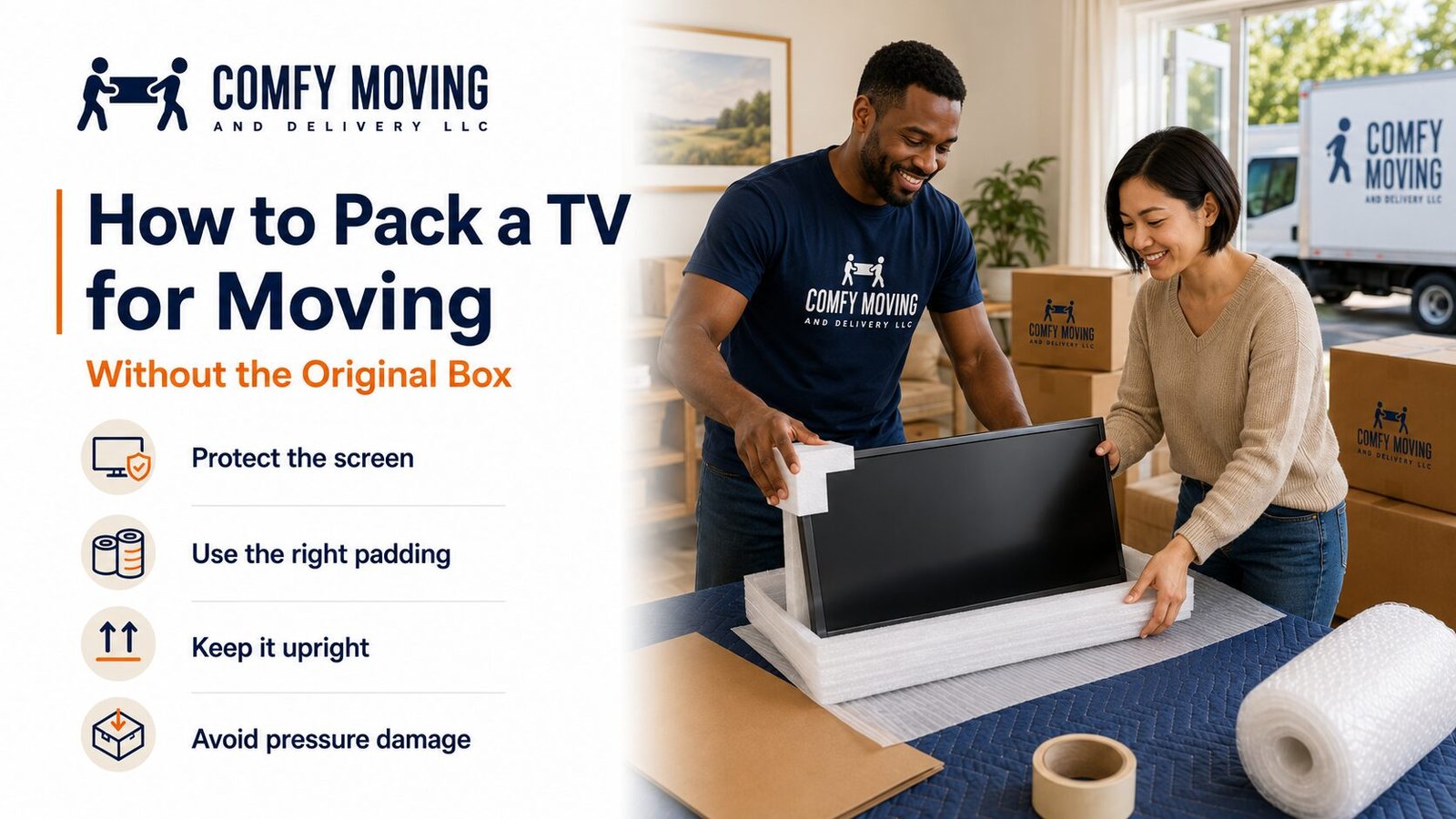
Once the screen and corners are protected, wrap the entire television in a clean moving blanket.
Fold the blanket neatly around the TV without creating thick knots or uneven pressure points. Secure it with stretch wrap by circling the television several times.
The stretch wrap should hold the blanket in place, but it should not squeeze the screen. Pulling the film too tightly can place unnecessary pressure on the frame and display.
Add bubble wrap around the outside of the blanket when more cushioning is needed. Cover the edges, corners, back panel, and front evenly.
Use packing tape only on the wrapping material. Never place tape directly on the screen, bezel, vents, ports, or back of the television.
How to Pack a TV for Moving in a Replacement Box
After wrapping the television, prepare the replacement box.
Pad the Bottom
Place foam, folded packing paper, or another soft material along the bottom of the box. The padding should create a level base rather than a loose pile.
Lower the TV Into the Box
With another person helping, lift the wrapped TV from both sides and lower it into the box in an upright position.
Do not hold the television by the screen. Grip the lower frame and side edges while keeping your hands flat and your movements controlled.
Fill Empty Space
Check the gaps around the sides and top. The TV should not slide or lean inside the box.
Fill open areas with foam sheets, soft packing paper, or purpose-made cushioning. Avoid forcing too much material into the box. Overpacking can create pressure against the screen.
Shake the box very gently. If you feel the television shifting, add more support around the sides.
Seal and Label the Box
Close the box and reinforce the bottom and top seams with packing tape.
Label it clearly on several sides:
- FRAGILE
- TV
- KEEP UPRIGHT
- SCREEN SIDE
- DO NOT STACK
Write the destination room on the box as well. This helps movers place it in the correct area without carrying it through the home more than necessary.
How to Pack a TV Without Any Box
A proper TV moving box provides the strongest protection, but there may be situations where one is unavailable.
In that case, create a rigid outer shell:
- Cover the screen with foam.
- Add a flat cardboard screen guard.
- Protect all four corners.
- Wrap the TV in a clean moving blanket.
- Secure the blanket with stretch wrap.
- Add bubble wrap around the outside.
- Place large cardboard panels over the front and back.
- Wrap the cardboard shell with stretch film.
- Label the front, back, top, and screen side.
The cardboard panels should extend across the full face of the television. They should not bend inward or press against the center of the screen.
A boxless setup is better suited to a short, controlled move with careful loading. For a long-distance relocation, storage period, or trip over rough roads, a fitted TV box is a safer choice.
Keep the Television Upright
Knowing how to pack a TV for moving is only half the job. The television must also be loaded correctly.
Keep it upright from the moment it leaves the room until it reaches its destination. Flat-screen televisions are designed to stand vertically. Laying one flat can expose the screen to vibration and pressure across a large unsupported area.
Do not place the TV horizontally on top of boxes, furniture, mattresses, or the floor of a vehicle unless the manufacturer’s instructions specifically approve that position.
Carry it vertically with one person supporting each side. Move slowly through doorways and around corners, and communicate before changing direction.
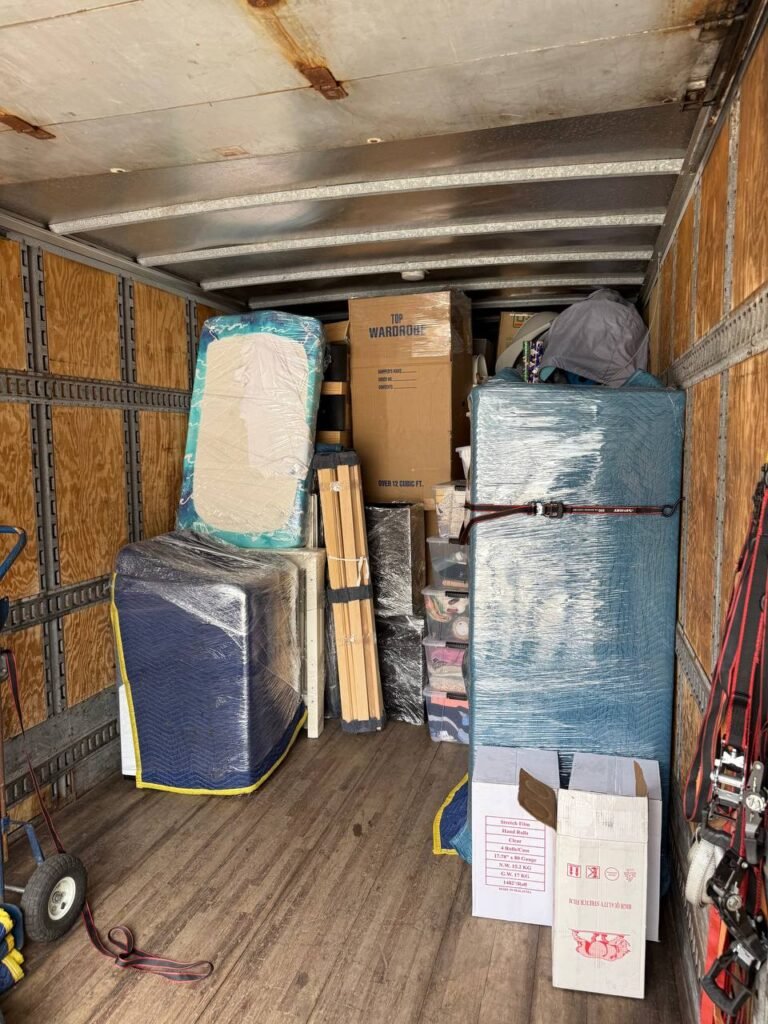
Where to Place a TV in the Moving Truck
Choose a stable area where the television can remain upright throughout the drive.
A good position usually has:
- A flat surface underneath
- Support along the back
- No sharp furniture edges nearby
- No heavy boxes above it
- No loose items that could fall against the screen
Secure the television to the truck wall using straps, but do not tighten them directly across the center of the screen. Position straps over the protected edges or the rigid outer packaging.
You may place a padded mattress or another broad, flat item near the TV to create additional support. Make sure nothing can shift into the screen during braking or turning.
Never stack boxes, furniture, or equipment on top of the television.
How to Move a TV in a Car
A smaller television may fit in an SUV, van, or car with fold-down seats. The same rule still applies: keep it upright whenever possible.
Measure the vehicle opening before bringing the TV outside. A television that fits inside the cargo area may not fit through the hatch or door at the required angle.
Secure the wrapped TV so it cannot slide during the drive. Avoid placing it next to hard objects, loose tools, or boxes with sharp corners.
Drive carefully, leaving more room for braking than usual. Sudden stops, tight turns, potholes, and fast acceleration can cause the television to shift even when it appears secure.
Do not leave the TV inside a hot or freezing vehicle longer than necessary.
Unpacking the TV After the Move
Bring the television into the correct room before removing its packaging. This prevents you from carrying an exposed screen through narrow hallways or around furniture.
Cut the stretch wrap carefully and keep the blade pointed away from the television. Remove each layer slowly rather than pulling everything off at once.
Inspect the screen, corners, ports, and frame before installing the stand or wall mount.
If the television has been transported through very hot or cold conditions, allow it to return to indoor room temperature before plugging it in.
Use your cable photo and labels to reconnect the equipment. Confirm that the stand or mounting hardware is secure before releasing the television.
Common TV Packing Mistakes
Even careful movers can damage a television by overlooking a small detail. Avoid these common errors:
Taping Directly to the TV
Packing tape can leave residue, damage finishes, and block ventilation openings. Tape should touch only cardboard, bubble wrap, stretch film, or moving blankets.
Using a Blanket Without a Screen Guard
A blanket protects against scratches but provides limited resistance to concentrated pressure. Add foam and a flat cardboard layer over the screen.
Leaving the Stand Attached
The stand can snap, bend, or puncture the box. Remove it and pack the hardware separately.
Choosing an Oversized Box
Too much empty space allows the TV to move during transportation. Use padding to keep it stable without squeezing the display.
Laying the TV Flat
A television may look secure when resting horizontally, but the screen can flex as the vehicle moves. Keep it vertical unless the manufacturer provides different instructions.
Storing Cables Inside the TV Box
Loose plugs and adapters can strike the television. Keep accessories in labeled bags outside the box.
Loading Heavy Items Nearby
A dresser, tool chest, or stack of boxes can shift into the TV during a sudden stop. Create a protected area around the television.
When Professional Packing Makes Sense
Packing one small television for a short move may be manageable on your own. A large TV, multiple screens, wall-mounted equipment, or a long-distance move can require more planning.
Comfy Moving provides professional packing services for electronics, furniture, fragile belongings, and complete households. We can bring suitable packing materials, protect the screen and frame, prepare the TV for loading, and place it securely in the moving vehicle.
Professional help may be especially useful when:
- The television is too wide for one person to handle
- You do not have a suitable moving box
- The TV must be carried down stairs
- Hallways or doorways are narrow
- Several televisions need to be packed
- The move includes storage
- The television will travel a long distance
- You need help packing the rest of the home
You can choose help for selected fragile items or arrange packing as part of a full-service move.
Frequently Asked Questions
Can You Move a TV Without Its Original Box?
Yes. Use an adjustable TV moving box or build a protective package with foam, a cardboard screen guard, corner protectors, a moving blanket, bubble wrap, and stretch film. The TV should remain upright and firmly supported during transportation.
Can You Wrap a TV in Bubble Wrap?
Bubble wrap can provide useful cushioning, but it should not be the only layer protecting the screen. Cover the display with a soft foam sheet first. Add bubble wrap outside a moving blanket or another smooth protective layer.
Can You Lay a Flat-Screen TV Down for Moving?
Keeping the TV upright is generally the safer approach. A horizontal position can expose the screen to pressure and vibration. Check the manufacturer’s handling instructions before using another position.
Is a Moving Blanket Enough to Protect a TV?
A moving blanket helps prevent scratches and light bumps, but it does not create a rigid shield over the screen. Combine it with foam, corner protection, cardboard, and a secure outer wrap.
Should You Remove the TV Stand Before Moving?
Yes. Removing the stand reduces the chance of it breaking or placing pressure on the box. Store the stand, screws, and mounting hardware together in labeled packaging.
Where Should a TV Go in a Moving Truck?
Place it upright in a stable area where it cannot slide, fall, or be struck by other items. Keep heavy boxes away from the screen and never stack anything on top of the TV.
Give the Screen Its Own Moving Plan
The safest way to approach how to pack a TV for moving is to treat the television as a separate part of the relocation rather than another item to squeeze between boxes.
Protect the screen with a smooth first layer, add rigid support, wrap the entire television, keep it upright, and secure it in a controlled section of the vehicle. A little extra time during packing can prevent an expensive and frustrating surprise after delivery.
Need help protecting your television and the rest of your belongings? Comfy Moving can handle packing, loading, transportation, and setup based on the level of support your move requires.
Services that match this moving topic