


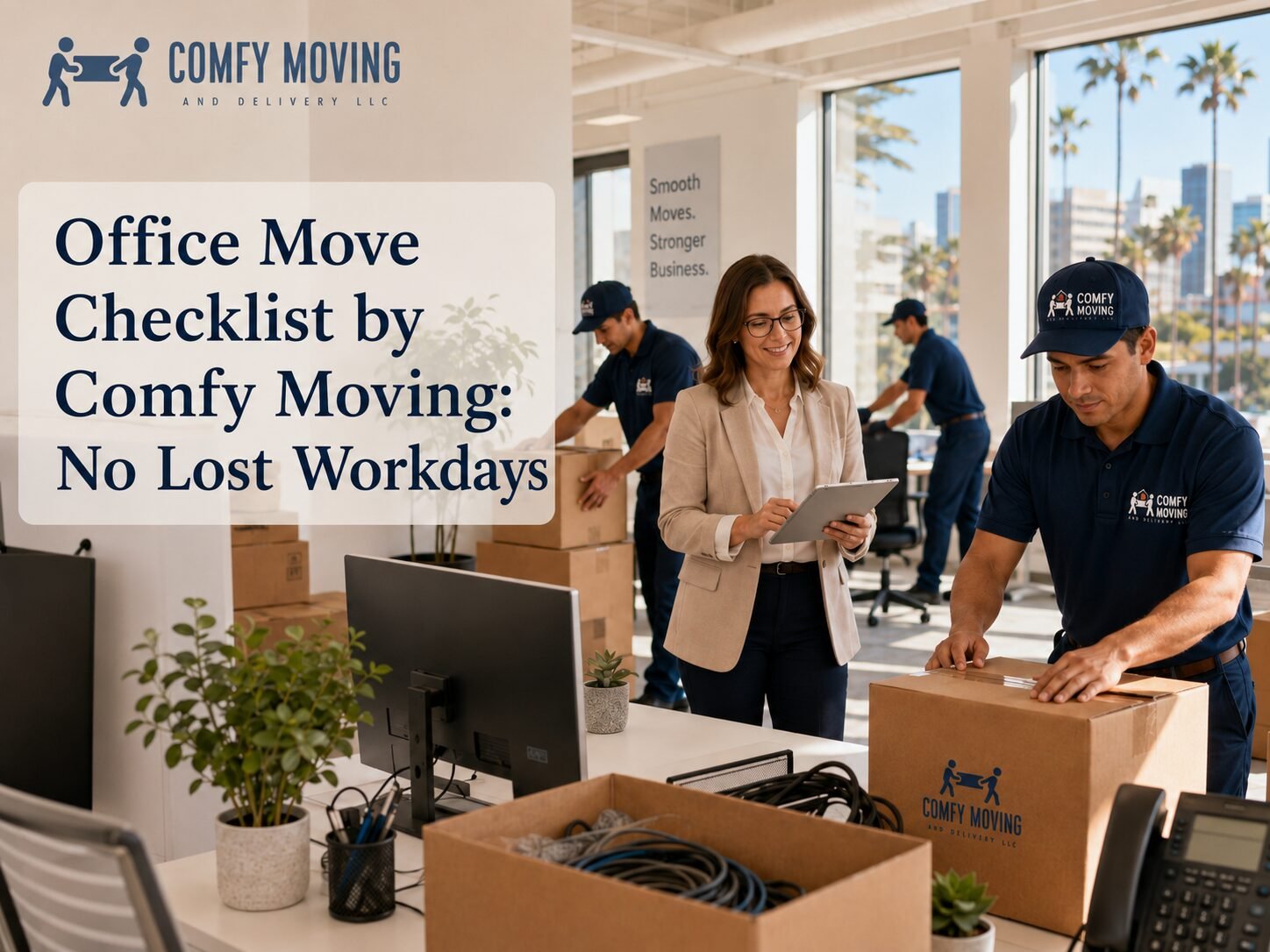
Office Move Checklist by Comfy Moving: No Lost Workdays
An office move can be a good sign. Maybe the team has grown. Maybe the old space no longer fits how people actually work. Maybe the company needs a better location, a cleaner layout, more storage, a stronger client-facing address, or a workplace that finally feels like it belongs to the business.
Still, even a positive move can become expensive if it is handled casually. Desks go missing. Cables get packed with kitchen supplies. Employees arrive on Monday with no working Wi-Fi. Clients keep sending mail to the old address. Someone forgot to reserve the elevator. The printer is in the new office, but the power cable is not.
That is why a real office move checklist matters. It turns a messy relocation into a controlled project with dates, owners, vendors, packing rules, floor plans, and a clear moving-day sequence.
Comfy Moving is built for business relocations where downtime matters. Office movers are not just carrying boxes. They are helping your company protect equipment, move departments in order, keep documents organized, handle furniture correctly, and get the new workspace ready so the team can return to work without chaos.
Below is a practical office move checklist you can use for a small office, startup, corporate department, retail office, medical admin space, creative studio, or multi-room business location.
6-12 Months Before the Move: Set the Direction
The earlier you start, the fewer expensive surprises you will face later. Larger companies should begin planning up to a year in advance. Smaller teams may not need that much time, but even a modest office move becomes easier when the major decisions are made early.
Review Your Current Lease
Start with the lease. Before choosing a moving date, check the exact end date, renewal terms, notice requirements, early termination penalties, restoration clauses, and rules for removing fixtures or built-in furniture.
Some leases require the office to be returned in a specific condition. That may include repainting walls, repairing damage, removing signage, cleaning carpets, restoring partitions, or taking out custom installations. If you ignore this step, the old office can keep costing money after the team has already left.
Create a short lease exit summary that includes:
- Final date of occupancy
- Required notice date
- Building move-out rules
- Security deposit conditions
- Cleaning or repair obligations
- After-hours access rules
- Elevator and loading dock procedures
This document should be shared with whoever manages the move internally.
Build a Realistic Moving Budget
An office move budget should include more than movers and boxes. Businesses often forget about IT work, new furniture, cleaning, downtime, employee communication, address updates, security systems, internet setup, signage, storage, and repairs.
A more complete budget may include:
- Moving company
- Packing materials
- IT disconnect and reconnect support
- Furniture disassembly and reassembly
- New desks, chairs, shelving, or conference furniture
- Disposal or donation of old items
- Cleaning at both locations
- Building fees or certificates of insurance
- Temporary storage
- Security system setup
- Internet and phone installation
- Signage and printed materials
- Emergency buffer for last-minute changes
Leave room for surprises. Office moves often run into small but costly details: extra packing time, missing floor plan measurements, new cabling needs, or building access limitations.
Choose the New Office With Operations in Mind
A new office should do more than look good in photos. It has to support how the business works every day.
Before signing, think through the practical details. Can employees get there easily? Is there enough parking? Will clients have trouble finding the entrance? Are there enough outlets? Can your internet provider service the building? Is there room for growth? Does the loading dock work for a moving truck? Are there strict move-in hours?
Ask for a detailed floor plan early. A floor plan helps you decide where departments, desks, meeting rooms, storage, printers, break areas, and reception should go. It also helps your movers understand what needs to be delivered where.
Tell Employees Early
Employees do not need every detail at the beginning, but they should not hear about the move at the last minute. A move affects commutes, routines, workspace expectations, hybrid schedules, parking, and sometimes team morale.
A simple announcement should explain:
- Why the company is moving
- Where the new office is located
- Approximate moving timeline
- How the new space benefits the team
- Who will manage internal questions
- Whether employees need to pack personal items
Keep the message practical and calm. People handle change better when they understand what is happening and when.
Start Researching Office Movers
Office relocations are different from residential moves. A business move involves sensitive documents, IT equipment, conference rooms, cubicles, filing systems, shared supplies, and furniture that may need to be disassembled and rebuilt.
When researching movers, look for experience with commercial and office moves, not just general moving. Ask whether the company can help with packing, labeling, furniture assembly, office equipment, storage, and after-hours scheduling.
Comfy Moving handles office and commercial moves with planning around business schedules, building rules, furniture, files, IT systems, and downtime reduction. That is the kind of support businesses need when the move has to be finished cleanly, not just physically completed.
3-6 Months Before the Move: Turn the Plan Into a Project
At this stage, the office move should stop being a general idea and become a managed project. Every major task needs an owner, a deadline, and a backup plan.
Create an Internal Moving Team
Do not leave the entire move to one overwhelmed office manager unless the business is very small. Build a small moving committee with people who understand different parts of the company.
Useful roles include:
- Main move coordinator
- IT lead
- Department representatives
- Finance or budget owner
- Facilities or building contact
- HR or employee communication lead
- Vendor communication lead
Each person should know exactly what they are responsible for. For example, IT handles equipment, internet, servers, phones, access control, and testing. Department leads handle packing rules and inventory for their areas. The move coordinator keeps the timeline moving.
Create a Master Office Move Checklist
Your master checklist should live in one shared place. It can be a spreadsheet, project management board, or shared document. The format matters less than the discipline of keeping it updated.
Include columns for:
- Task
- Owner
- Deadline
- Status
- Vendor involved
- Notes
- Dependency
- Priority
This prevents the classic office move problem where everyone assumes someone else handled the elevator reservation, copier pickup, or internet activation.
Notify Key Outside Contacts
An office move affects more people than your employees. Start building a contact list for everyone who needs the new address or updated access details.
This may include:
- Clients
- Vendors
- Banks
- Insurance providers
- Payroll providers
- Utility companies
- Internet and phone providers
- Software and hardware vendors
- Delivery services
- Cleaning company
- Building management
- Government agencies
- Licensing bodies
- Postal services
- Security company
- Landlord or property manager
Do not update everyone on the same day. Some contacts need early notice, while others only need the final confirmed date.
Hire the Moving Company
Once the moving date is realistic, book the movers. Good commercial moving dates can fill quickly, especially if you need an evening, weekend, end-of-month, or building-specific time slot.
Ask for a walkthrough or detailed consultation. A mover should understand the number of desks, boxes, monitors, filing cabinets, conference tables, heavy items, elevators, stairs, truck access, packing needs, and any special restrictions.
Share both addresses and building instructions. If the move involves multiple stops, storage, furniture disposal, or department-by-department delivery, explain that early.
1-3 Months Before the Move: Prepare the Office, Team, and Vendors
This is where the move becomes visible. The new space should be measured, vendors should be scheduled, and the old office should slowly start shifting from “daily workplace” to “move-ready space.”
Take Inventory of Everything
Inventory is not busywork. It helps you avoid paying to move items that no longer serve the business.
Walk through the office and list:
- Desks
- Chairs
- Conference tables
- Filing cabinets
- Computers
- Monitors
- Printers
- Copiers
- Phones
- Routers
- Servers
- Whiteboards
- Kitchen items
- Storage shelves
- Reception furniture
- Artwork
- Marketing materials
- Supplies
- Documents and files
Mark every item as move, replace, donate, recycle, dispose, or store.
This is also the right time to remove broken chairs, old promotional materials, outdated electronics, duplicate supplies, and furniture that will not fit the new layout.
Finalize the New Floor Plan
The new office layout should be finished before packing begins. Every desk, department, printer, cabinet, meeting room, and storage zone should have a destination.
A good floor plan helps movers place items correctly on the first attempt. Without one, boxes and furniture may end up in random corners, and your team loses time rearranging everything after the crew leaves.
Give departments clear names or color codes. For example:
- Blue – Accounting
- Green – Sales
- Yellow – Operations
- Red – Executive office
- White – Common area
- Purple – IT
Use the same system on boxes, furniture labels, and the floor plan.
Order New Furniture and Equipment Early
If the new office needs desks, chairs, shelves, monitors, routers, meeting tables, signage, or storage cabinets, order them early. Delayed furniture can create a half-finished office where employees technically have a new address but no functional workspace.
Try to schedule deliveries before moving day when possible. If new furniture arrives after the move, make sure it does not block movers from placing existing items.
Schedule Cleaning and Maintenance
Both offices need attention. The old space may require cleaning, repairs, wall patching, paint touch-ups, carpet care, or removal of branded materials. The new office may need cleaning before furniture and equipment arrive.
Schedule maintenance first and cleaning second. Cleaning before drilling, repairs, or installation work usually means paying for cleaning twice.
Plan IT Like a Separate Move
IT is often the part of an office move that causes real downtime. Desks and chairs can wait. Internet, phones, servers, access control, payment systems, cloud tools, printers, and workstations cannot.
Your IT checklist should include:
- Internet installation date
- Phone system transfer
- Server and network equipment plan
- Backup of critical data
- Labeling of cables and devices
- Workstation mapping
- Printer setup
- Security access cards
- Camera or alarm systems
- Test schedule before employees return
Never assume the internet will be ready because the provider said it should be. Test it before move-in whenever possible.
2-4 Weeks Before the Move: Pack With a System
The final month is where organization either saves the move or breaks it. Packing an office is not the same as tossing things into boxes. Every box should have a destination, owner, and priority level.
Start With Non-Essential Items
Pack items the team does not need for daily work first. This may include archived files, extra supplies, old marketing materials, seasonal decorations, rarely used equipment, books, and storage-room contents.
Leave active workstations, current files, and daily tools for later.
Use a Clear Labeling System
Every box should be labeled on more than one side. Include:
- Department
- Employee or owner
- Destination room
- Box number
- Priority level
- Fragile notice, if needed
Example: “Accounting – Maria – Room 204 – Box 3 of 6 – Open First.”
Color labels make unloading faster. Movers can place boxes by department instead of asking where every item belongs.
Pack IT Equipment Carefully
Computers, monitors, phones, cables, and routers should not be packed like office supplies. Label each workstation as a set. Cables should be bagged and labeled. Monitors should be protected. Laptops should be assigned to employees or packed according to company policy.
If the company handles sensitive data, make sure devices and documents are secured according to internal rules.
Create an Essentials Box
Every office move needs a first-day survival kit. Keep it separate from regular boxes and make sure the right person controls it.
Include:
- Keys and access cards
- Printed floor plan
- Vendor contact list
- Basic tools
- Tape and labels
- Chargers
- Power strips
- Router or network notes
- Cleaning wipes
- Paper towels
- Trash bags
- Pens and markers
- Coffee supplies
- Snacks and water
- First-aid kit
The essentials box should be one of the first things brought into the new office.
Confirm the Moving Day Plan
Two weeks before the move, confirm the schedule with the movers, building management, IT vendors, furniture installers, cleaning company, and internal moving team.
Confirm:
- Arrival time
- Truck parking
- Loading dock access
- Elevator reservation
- Building certificates or insurance requirements
- After-hours access
- Crew instructions
- Floor plan
- Special handling items
- Items not being moved
- Point of contact at each location
A short confirmation call can prevent hours of confusion on moving day.
Moving Day: Keep the Business Move Controlled
Moving day is not the time for major decisions. The plan should already be set. The main job is to keep the process moving, answer questions quickly, and check that nothing important is missed.
Assign One Person to Lead
There should be one main decision-maker available throughout the move. This person should have the floor plan, inventory, mover contact, building contact, and authority to answer practical questions.
Too many decision-makers slow the crew down. No decision-maker creates mistakes.
Walk Through the Old Office Before Loading Ends
Before the truck leaves, check every area:
- Offices
- Desks
- Drawers
- Closets
- Conference rooms
- Kitchen
- Storage rooms
- Server area
- Reception
- Bathrooms
- Hallways
- Parking or loading area
Look for chargers, framed items, small equipment, documents, plants, keys, and personal items.
Protect Critical Business Items
Some things should not disappear into the general move. Keep sensitive documents, legal paperwork, company checks, laptops, backup drives, access cards, and irreplaceable items under controlled handling.
If needed, move these separately with a manager or assigned employee.
Use the Floor Plan During Unloading
At the new office, the floor plan should guide unloading. The goal is not just to get everything inside. The goal is to place items where they belong so the team can restart work quickly.
Furniture should go to the correct rooms. Boxes should land in the right departments. IT equipment should be separated and ready for setup.
After the Move: Restart Operations Fast
The move is not finished when the truck is empty. The first 24-72 hours determine whether the relocation feels successful or painful.
Test IT and Workstations First
Before everyone returns, test the systems that matter most:
- Internet
- Wi-Fi
- Phones
- Printers
- Shared drives
- Security systems
- Door access
- Conference room equipment
- Payment systems
- Employee workstations
Ask each department to test their own basic workflow. A workstation that turns on is not necessarily ready for work.
Unpack by Priority
Do not try to unpack everything at once. Start with the items needed for business continuity: workstations, IT, client-facing areas, active files, meeting rooms, and shared supplies.
Decor, archives, rarely used storage, and non-urgent items can wait.
Update Your Address Everywhere
Your new office address should be updated across all business touchpoints. This includes:
- Website
- Google Business Profile
- Email signatures
- Invoices
- Contracts
- Social media profiles
- Business cards
- Vendor accounts
- Bank and insurance records
- Licenses
- Delivery platforms
- Client portals
This step is easy to delay, but it can cause missed mail, confused clients, and lost deliveries.
Do a Final Old-Office Handoff
Once the old office is empty, schedule the final walkthrough with the landlord or property manager. Take photos of the condition of the space. Return keys, access cards, parking passes, and remotes. Keep written confirmation of the handoff.
Give the Team a Reset Moment
An office move takes effort from everyone. Once the essentials are working, give employees a moment to settle in. A breakfast, lunch, or simple welcome message can turn a stressful transition into a shared milestone.
A new office should feel like progress, not just a new place to plug in a laptop.
Office Move Checklist Summary
Here is the shortened version your team can keep nearby.
6-12 Months Before
- Review the current lease
- Check notice and restoration rules
- Build the moving budget
- Choose the new office
- Request the floor plan
- Announce the move internally
- Research commercial movers
3-6 Months Before
- Create a moving committee
- Assign owners for each task
- Build the master checklist
- Notify key outside contacts
- Hire the moving company
- Schedule walkthroughs
- Start IT planning
1-3 Months Before
- Take inventory
- Decide what to move, donate, store, or discard
- Finalize the new layout
- Order furniture and equipment
- Schedule repairs and cleaning
- Confirm internet, phones, and security systems
- Prepare employee instructions
2-4 Weeks Before
- Pack non-essential items
- Label boxes by department and room
- Prepare IT equipment
- Create an essentials box
- Confirm elevator and loading dock access
- Send moving day instructions
- Review the plan with movers
Moving Day
- Assign one move leader
- Keep floor plans available
- Supervise loading and unloading
- Protect sensitive documents and devices
- Walk through the old office
- Place boxes and furniture by department
After the Move
- Test IT systems
- Set up priority workstations
- Unpack by business need
- Update the company address
- Complete the old-office handoff
- Collect feedback from employees
A smart office move is not about packing faster. It is about protecting business time. When the checklist is clear, the moving crew understands the layout, IT is treated as a priority, and employees know what to expect, relocation becomes a controlled transition instead of a week of interruptions. Comfy Moving helps businesses move offices, furniture, files, workstations, equipment, and teams with the planning needed to reduce downtime. The goal is simple: move the workplace without freezing the work.
Services that match this moving topic